 eCommerce with Zen Cart!

Discount Preview for osCommerce
A osCommerce™ mod which allows you to display my Better Together, Quantity Discounts, and Free Gift Chooser order total discounts on the shopping cart page. In this way, discounts which are normally not visible until the Order Confirmation page are visible earlier.Important Version Information: This product is for osCommerce Phoenix only. If you are looking for osCommerce 2.2, 2.3 or 3.0, please see the link in the Relevance section below.
Relevance: osCommerce™ Phoenix only. If you are looking for osCommerce 2.2, 2.3 or 3.0, please see the Legacy Discount Preview page.
Current Version: 1.4
Occasionally, new features are documented prior to being publicly available; please check the version history to ensure the feature you want is available in your version.
Support Thread: My commercial software is not supported on the osCommerce forum. Please email me questions instead.
Cost: $30 (Note: this low price covers software only for self-installation.)

Would you like to ask me questions before buying? I'm happy to help likely purchasers make the right decision. Please use my contact form.
Installed Cost: $150.00 (Professional installation by That Software Guy)
Installation Difficulty: Easy
Installation Instructions: Installation.
Buy: Buy Discount Preview!
Pre-purchase questions? No problem! Just Please contact me with your question.
See it Live: You can see this in the Discount Preview Video:
Overview:
This mod permits customers to preview the order total discounts they will receive from my Better Together for osCommerce and Quantity Discounts for osCommerce contributions and my Free Gift Chooser for osCommerce extension. You may preview whatever combinations of these discounts is configured for your shop.Ordinary Shopping Cart Page
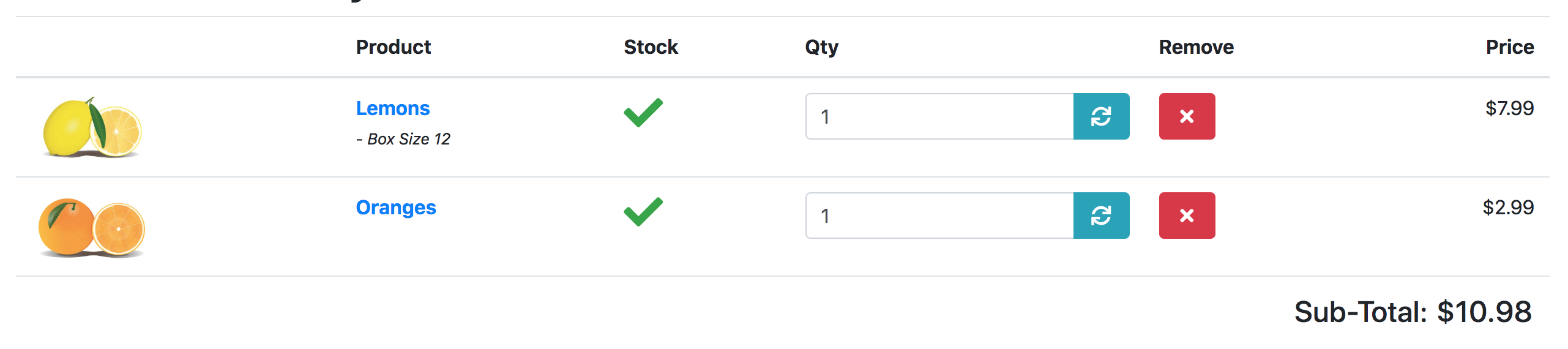
osCommerce 2.3 Shopping Cart Page With the Discount Preview Extension
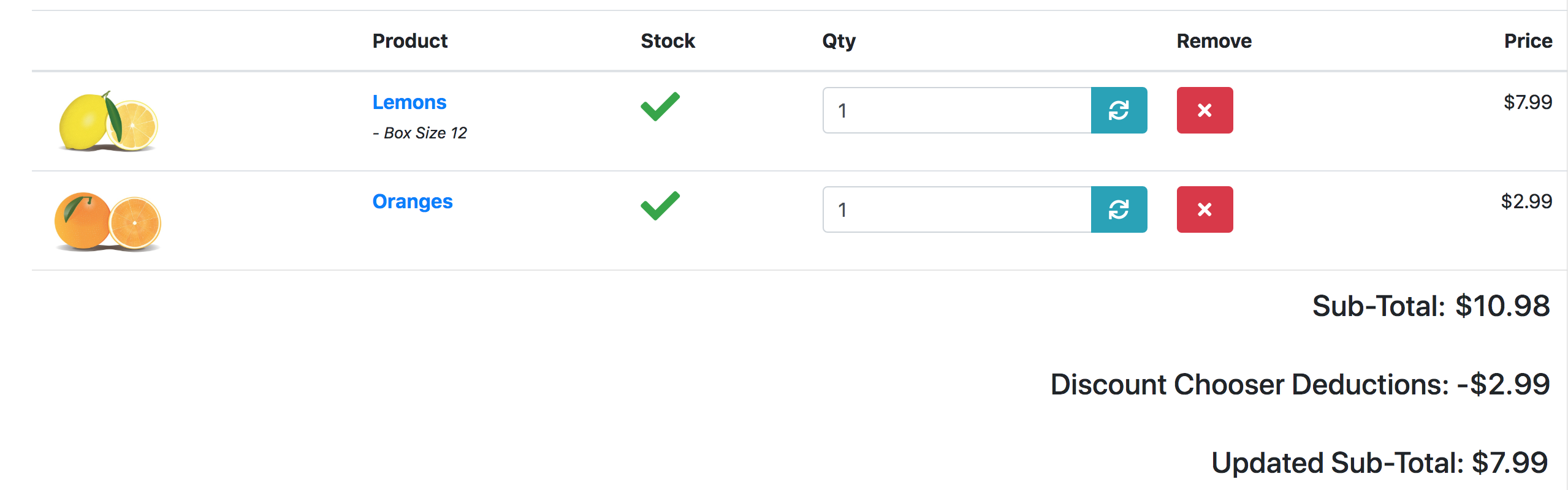
The discounts are shown as line items below the subtotal on the Shopping Cart page.
Installation Instructions for osCommerce Phoenix
- Back up everything! Try this in a test environment prior to installing it on a live shop.
- Copy the contents of the unzipped folder to the root directory of your shop. All the files are new.
- Go to Admin > Modules > Content, and Click Install Module. Select Discount Preview, and press Install Module.
Major Versions of Discount Preview for osCommerce
- 1.4 08/15/2019 - First Phoenix release

I charge a fee of $30 for Discount Preview for osCommerce.
The fee covers software only; installation is extra if you require help.
Buy Discount Preview!
The fee covers software only; installation is extra if you require help.
The fee covers software only; installation is extra if you require help.