 eCommerce with Zen Cart!
Image by SocialTechnologies.com
SysCheck for osCommerce
SysCheck is an osCommerce™ contribution which allows a shopowner to perform a quick system scan of their cart. It searches for vulnerabilities which could leave you open to attack and known artifacts of successful attacks.Donate: This is free software. Show your appreciation by supporting my efforts.

Relevance: osCommerce™ 2.2rc2a
Location: osCommerce Community Add-Ons page, under Other
osCommerce 2.2 Download:
SysCheck for osCommerce 2.2
Current Version: 1.0.3
FAQ: click here
Support Thread: SysCheck Support Thread
Zen Cart User? This is an osCommerce page. Look at SysCheck for Zen Cart for Zen Cart help.
Overview:
SysCheck lists the following:- admin ids
- php scripts in the images directory
- directories with permissions other than 0x755
- php files which include "eval" (this is an known exploit vector).
- files with permissions other than 0x644
Access to SysCheck
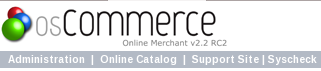
SysCheck appears as a link at the top left hand corner of your admin panel.
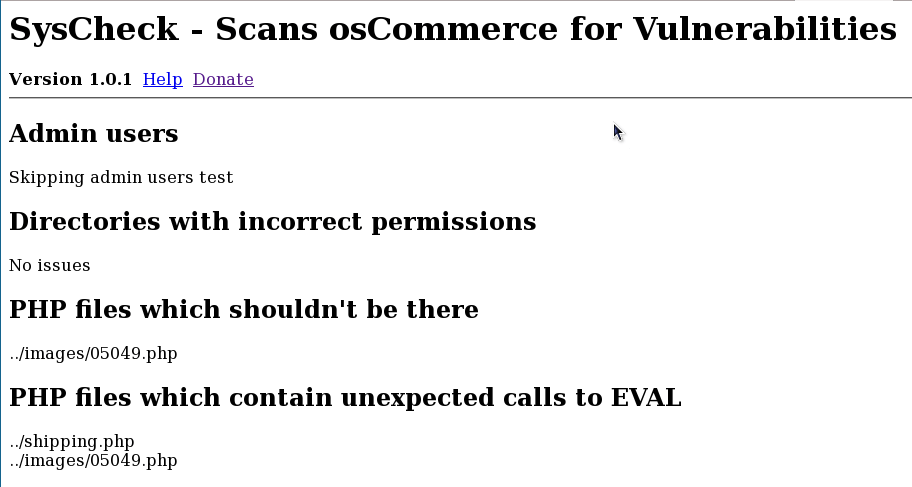
SysCheck results on a hacked site
More Reading
- How to Secure your Site
- Security Issues with admin directory
- Hacked osCommerce? Here's some essential reading
FAQ
Q: I'm gettingeval matches on files I know are ok. How can I suppress these?A: In the file
admin/syscheck.php, look for the array $eval_ok_files. You
can follow the pattern and add to this list as appropriate for
the mods you have installed.
Q: I was hacked, and I deleted all the files SysCheck reported. Am I ok now?
A: NO! SysCheck is just a starting point. You need to follow all the recommendations in my blog post Recovering from a hack. In particular, you need to reload from a known good backup. If you don't and another file was tampered with (for instance, spammy links were added to your footer, or the credit card details are being recorded), you will never know it. You must restore from a known good backup.