 eCommerce with Zen Cart!

Zen Cart Plugins
My name is Scott C. Wilson, and I'm That Software Guy. I'm not just a Zen Cart developer - I am a Zen Cart Expert. The page you're on discusses my work with the Zen Cart project, an open source shopping cart program that you can use to build an ecommerce website.
My qualifications, skills and experience mean I am one of the top Zen Cart developers in the United States. I have been doing Zen Cart Development since 2006, and I'm known as the Duke of Discounting on the Zen Cart forum. Welcome to my world!
Just getting started? Read my What is a Zen Cart and why would I want one? article. If you already have an installed Zen Cart, but you're still new to running it, take a look at my pages on Zen Cart Version information and Zen Cart Logs. And if you're here because you have a white screen, take a look at my page on Zen Cart Blank Screen problems.
Want to see my software in action? Take a look at my Zen Cart Videos.
Want to hire me to maintain, fix and improve your store? Take a look at my support page.
They call me ... the Duke of Discounting!
Sales and Specials done improperly just erode your profitability. My discounting software helps you upsell, cross-sell and sell more products, increasing your profitability. Take a look:- Zen Cart Quantity Discounts - Buy in volume, save money.
- Zen Cart Better Together - Buy two linked items, save money; buy one, get one free; buy one item, get another at a discount.
- Zen Cart Combination Discounts - Buy multiple linked items, get a discount on another product / receive another product free.
- Zen Cart Big Spender - Spend over a certain dollar amount, get a discount on other products / receive other products free.
- Zen Cart Big Chooser - Buy multiple items, get other products or combinations of products at a discount or free.
- Zen Cart Discount Chooser - Buy multiple items, get other products or product combinations free or at a discount, configured with a built-in admin panel. (Note: Discount Chooser was formerly called Free Gift Chooser; the name was changed to more accurately reflect its capabilities.)
- Zen Cart Discount Spender - Spend over a certain dollar amount, get other products or product combinations free or at a discount, configured with a built-in admin panel. (Note: Discount Spender was formerly called Free Gift Spender; the name was changed to more accurately reflect its capabilities.)
- Zen Cart Frequency Discounts - Spend a certain dollar amount within a certain period of time and receive a discount on your current order. A loyalty reward that increases with value as the relationship grows!
- Zen Cart Reward Points - Spend a certain dollar amount within a certain period of time and earn points that can be used on a future reward. Another loyalty program that keeps customers coming back!
- Zen Cart Table Discounts - Quantity discounts with different discounting schedules for different products, categories or manufacturers.
- Zen Cart Case Discounts - Quantity discounts with different discounting schedules for different products based on purchases of specific quantities.
- Zen Cart Manufacturer Discount - Discounts on items from a particular manufacturer with a built-in admin interface.
- Zen Cart BOGO Discount - Buy some number of items, get some other number of items at a discount, for all items in the catalog (grouping by item, category or without restriction).
- Per User Group Specials - Create a special price on an item which is only available to one user or group.
Start with the question: what do you want to do?
| Need | Options |
|---|---|
| Discounting by Quantity purchased |
Zen Cart Quantity Discounts - Five admin configured
thresholds, one global discounting policy, segmenting by item, category or without restriction.
Zen Cart Table Discounts - Per product or category discounting schedule. Configuration using PHP. Zen Cart Case Discounts - Quantity discounts with different discounting schedules for different products based on purchases of specific quantities. |
| Discounting by Dollars Spent |
Zen Cart Quantity Discounts - Five admin configured
thresholds, one global discounting policy, segmenting by item, category or without restriction.
Zen Cart Big Spender - Arbitrarily configured thresholds, grouping by specific item(s), categories or without restriction. Configuration using PHP. Zen Cart Discount Spender - Arbitrarily configured thresholds, grouping by specific item(s), categories or without restriction, configured with a built-in admin panel. |
| "Buy X get Y" type discounts |
Zen Cart Better Together - Buy one product or category, get
another one product or category at a discount. Configuration using PHP, with Better Together Admin, an optional admin panel available.
Zen Cart Combination Discounts - Buy some-number-of product or category, (and optionally additional some-number-of-product or category) get another some-number-of product or category at a discount. Configuration using PHP, with Combination Discounts Admin, an optional admin panel available. Zen Cart Big Chooser - Buy arbitrary grouping of items, get a discount on other products or combinations of products. Zen Cart Discount Chooser - Buy arbitrary grouping of items, get a discount on other products or combinations of products, with configuration from a built-in admin panel. Zen Cart BOGO Discount - Buy some-number-of items, get some-number-of items at a discount, applied to the entire inventory. Take a look at my List of BOGO Options for Zen Cart to get started. |
| Some other discounting plan |
Zen Cart Manufacturer Discounts - Discount all the products
made by specific manufacturers.
Zen Cart Frequency Discounts - Discount purchases made by people who meet specific spending thresholds over specific time intervals. |
| More ideas |
Zen Cart Cross Selling is an overview of all my cross selling mods. Zen Cart Bundle Building shows you how to build a package of items that sells at a single price. You have several options for building kits or product combinations |
The perfect companion for any of my discounting modules listed above is Discount Preview.
Discount Preview lets you see the discounts on the Shopping Cart page. Without this module, your customers must wait until the checkout payment page to see their discounts, which many e-commerce experts believe reduces the likelihood of completing a sale. If you benefit from the free software I produce, buying Discount Preview is a great way for you to give back and support my work. Thank you!
Want to know more about all the options available for Better Together? Read The Zen Cart Better Together World.
Want to know more about the difference between Big Chooser and Combination Discounts? Read the Zen Cart Big Chooser vs. Combination Discounts comparison.
Do you have a discounting plan you need implemented? Summon the Duke and I'll give you a quote.
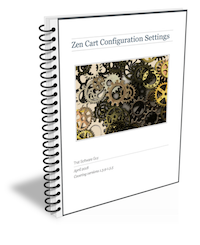 Configuration driving you crazy? My ebook can help - see all the configuration and layout settings in Zen Cart in one searchable place.
Buy my Zen Cart configuration e-book.
Configuration driving you crazy? My ebook can help - see all the configuration and layout settings in Zen Cart in one searchable place.
Buy my Zen Cart configuration e-book.
- * Covers all 26 native Zen Cart configuration groups.
- * Over 50 pages long.
- * Preview available.
My Zen Cart™ Plugins
No one has a bigger portfolio of Zen Cart mods than I do.Lots of people call themselves "Zen Cart experts" or "Zen Cart gurus" - I actually *am* a Zen Cart expert.
| Module Name | More Details |
|---|---|
| Accessibility Page | I wanted to make it possible for people running older versions of Zen Cart to be able to use the Accessibility Page from 2.0.0, so I created the Accessibility Page Plugin. |
| Accessibility Stylesheet Loader | If you really want to keep your color scheme but want to offer an accessible version of your site, try the Accessibility Stylesheet Loader. It optionally loads a stylesheet with corrective CSS for your site. (Obviously you must create the CSS based on the areas that are currently not accessible.) |
| 360 Sales Reporting | Zen Cart 360 Sales Reporting allows you to include payments made outside of the Zen cart environment in your Sales Reporting, as well as consolidate payments from one company made under different emails for reporting purposes. |
| Attribute Report | Attribute Report allows you to easily see which products are using a particular attribute. |
| Audit | Audit checks your database for anomalies, and allows you to easily fix them if they are found. |
| AutoBackup | Backups are important, but who wants to do them manually? This modification automates the process, so you can rest easy knowing your backups are taken care of. |
| Better Together Admin Panel | Tired of having to edit the setup() function to add Zen Cart Better Together discounts? The Zen Cart Better Together Admin Panel gives you a user interface to add every type of linkage that Better Together supports. |
| Big Files | The Zen Cart Big Files Report gives you a list of all files in your installation, sorted by size. |
| Boilerplate Admin | Need to use boilerplate blocks of text in your product descriptions, but don't want to type them in again and again? Using the Zen Cart Boilerplate Admin tool reduces your workload by allowing you to define blocks of boilerplate one time and use them with a simple one-word alias. |
| Bulk Email | Want to send email to people who have purchased specific products during a specific date range? The Zen Cart Bulk Email tool allows you to do this. |
| Changed Files | The Zen Cart Changed Files Report gives you a list of all files in your installation, sorted by their changed date. |
| Combination Discounts Admin Panel | Tired of having to edit the setup() function to add Combination Discounts discounts? The Zen Cart Combination Discounts Admin Panel gives you a user interface to add every type of linkage that Combination Discounts supports. |
| Common XSell Sort Order | Zen Cart Common XSell Sort Order is an add-on to both Extended Family and Cross Sell Advanced which allows the sort order to be used when displaying cross sells to be set in one single place. |
| Copy Quantity Discounts | Zen Cart has its own built-in Quantity Discounts utility (different from my Quantity Discounts plugin) which discounts bulk purchases of a single product. I extended it so that you can easily copy native Quantity Discounts. |
| Copy Shipping Label | Instead of typing in shipping addresses by hand to your label maker or shipping program, use Copy Shipping Label contribution, and do it with one click! |
| Copy Sideboxes | Want to install a new template, but you're dreading reconfiguring the sideboxes you use on the old template? Just grab my Copy Sideboxes contribution! It does all the hard work for you. |
| Coupon Report | Zen Cart Coupon Report shows you which coupons are being used in a particular time period. |
| CSV Inventory | Zen Cart CSV Inventory creates a CSV showing all your products, their stock levels, and their sales in the last 12 months. |
| CSV Model Update | Zen Cart CSV Model Update allows you to easily update the products_model field in the products table from a CSV, rather than doing it one at a time in the Admin interface. |
| CSV Stock Update | Zen Cart CSV Stock Update allows you to easily update the products_quantity field in the products table from a CSV, rather than doing it one at a time in the Admin interface. |
| Customer Password Edit | Customers missing or not receiving their password reset emails? Zen Cart Customer Password Edit allows you to reset their password to a value of their choice. (Note that this module is also called "Admin Change Password.") |
| Delete Spam Customers | Delete Spam Customers allows you to bulk delete customer accounts created by bad guys. |
| Disabled Products Report | Disabled Products Report shows you the products in your store which have been marked Disabled. |
| Discount Chooser | The Discount Chooser Mega Module allows you to flexibly create product based (rather than dollars spent based) discounts with a built in admin panel. Somewhat less flexible than Big Chooser, but with the simplicity of point and click configuration. |
| Discount Spender | The Discount Spender Mega Module allows you to flexibly create dollars spent based (not product based) discounts with a built in admin panel. Somewhat less flexible than Big Spender, but with the simplicity of point and click configuration. |
| Find Duplicate Models | Some external connectors to Zen Cart, such as QBI, require that every item in your catalog have a unique model number. Tracking down which items use the same model number can be difficult - until now. Find Duplicate Models shows you exactly which items are reusing the same model number. |
| Fix Company | Fix Company cleans out entries in your address book which are filled with the year of the customer's birth (due to a defect in Chrome). |
| Jerkblocker | Jerkblocker uses a variety of techniques to prevent fake account creating and Contact Us spam. |
| Missing Images | Missing Images checks all the images for your products and builds a report showing the ones which are not found. |
| Mod List | Zen Cart Mod List shows you some of the key changes that have been made to your cart's database schema and contents. |
| Notes | If you need the ability to make notes in customer, order or product records, look at Zen Cart Notes. |
| Optional Payment Method | If you wish to have a specific payment module only visible to a subset of your customers, look at Zen Cart Optional Payment Method. |
| Orders in Status Widget | Orders in Status Dashboard Widget allows you to show all orders in a specific status on your admin dashboard for easy tracking. |
| Order Origin | Allows you to see what portion of your customers come from mobile devices, such as phones and tablets, versus desktop computers. |
| Order Total Edit | Enables the administrator to fine tune line items for an order (in case a discount needs to be adjusted or some similar kind of tweak is needed). |
| Preview Email | Preview Email allows you to locally test styling changes to Zen Cart HTML emails. |
| Perfmon | Perfmon allows you to track the time taken for a specific Zen Cart page load, broken down by notifier point. This is very useful when investigating performance problems. |
| Quick Quantity Update | Zen Cart Quick Quantity Update is a step saver for shopowners who need to do quantity updates frequently. It allows you to change the stock quantity of a product with a single click. |
| Quick Status Update | Zen Cart Quick Status Update is a step saver for shopowners who have multiple status transitions for order tracking. It allows you to change an order status on the main order page with a single click. |
| Reset Admin Password | Lost or forgot your admin password? I can reset it. |
| Salesforce Customers Import | Zen Cart to Salesforce Customers Import allows you to import your customer data from Zen Cart to Salesforce. |
| Salesforce Products Import | Salesforce Products Import allows you to import your products from Zen Cart to Salesforce. |
| Salesforce Prices Import | Zen Cart to Salesforce Prices Import allows you to import your products prices from Zen Cart to Salesforce. |
| Save for Later Report | Zen Cart Save for Later Report shows you who's using Save for Later and what the most commonly saved items are. |
| Search Helper Admin | Search Helper Admin allows you to build up search tags that work with Zen Cart Search Helper. You can correct common misspellings or match with synonyms to aid your customers when they are searching your Zen Cart. |
| Sellbrite Integration | Zen Cart Sellbrite Integration allows you to move products between Zen Cart and Sellbrite. |
| Show Customer Time | Zen Cart Show Customer Time allows you to see the current time where your customers live. |
| SMS on Sale | Zen Cart SMS on Sale allows you to receive an SMS message when a sale is made on your store. |
| Specials Import | Zen Cart Specials Import allows you to import a CSV file of Zen Cart Specials (rather than creating them one by one in the admin panel). |
| Squash Taxes | Zen Cart Squash Taxes compresses the tax record created by Zen Cart and the tax record created by the Local Sales Tax mod into a single line item. |
| Stats Per Customer | Zen Cart Stats Per Customer The Stats Per Customer plugin shows you the purchase history for a specific customer broken down by year. |
| SysCheck |
A series of vulnerabilities in Zen Cart prior to the 1.3.9 release
led to attacks on a number of carts;
Zen Cart SysCheck
assesses
your vulnerability to these attacks and reports common attack
symptoms. Your best defense against attack is always keeping your
cart updated to the most current release and following all
suggested precautions.
Remember that the security of your customers' data is YOUR responsibility. |
| Test Checkout Email | Test Checkout Email allows you to test content changes to the checkout (or order confirmation) email without having to create a new order. |
| View Schema | For an easy way to view the structure of your database without having to login to phpMyAdmin, try Zen Cart View Schema. |
| Kitbuilder | Zen Cart Kitbuilder allows you to create groups of products that sell together as a single kit. You set the price of the kit, so the discount is built in. |
| Free Shipping Recalculation | Zen Cart Free Shipping Recalculation allows you to ensure the post-discount total of a customer's order meets your free shipping threshold before free shipping is offered. |
| Roundup for Charity | Zen Cart Roundup for Charity allows you to easily offer a charity "round up" in your checkout process. |
| Save for Later | Zen Cart Save for Later allows your customers to retain cart contents for a later date and checkout with a subset of the current cart. |
| Giftwrap at Checkout | Zen Cart Giftwrap at Checkout provides a way for you to offer gift wrapping services for items your store sells. |
| Coupon Auto Add | Zen Cart Coupon Auto Add allows you to specify items to automatically add to the cart when a particular coupon code is entered. It's good for adding free gifts, or automatically adding Better Together or other discounted pairings. |
| Auto Add | Zen Cart Auto Add allows you to specify items to automatically add to the cart when other items are added. It's good for adding free gifts, or automatically adding discounted pairings. |
| Auto Add plus Better Together | Zen Cart Auto Add plus Better Together automatically adds discount pairings you have configured with Zen Cart Better Together. |
| Impulse Buy | Zen Cart Impulse Buy is a last minute cross-sell/upsell module. It shows a group of items of your choosing on the Checkout Shipping page that can be purchased with the click of a checkbox. The sales funnel is not disrupted by returning to the shopping cart page; the customer goes directly to the payment page. |
| Coupon Restrictions - Big Chooser Style | Want to apply complex preconditions to the use of coupons? Take a look at Coupon Restrictions - Big Chooser Style. |
| Coupon Single User | Want to limit a coupon to one specific customer? Then look at Coupon Single User. Give your best customers special discounts and/or free shipping. |
| Coupons No Sale or Special | Coupons No Sale or Special allows you to restrict the application of coupons to items which are not on Sale or Special. |
| Chooser AutoCoupon | Want to automatically create coupons based on the products your customers purchase? Take a look at Zen Cart Chooser AutoCoupon. |
| Spender AutoCoupon | Want to automatically create coupons based on how much your customers are spending? Take a look at Zen Cart Spender AutoCoupon. |
| Digital Product Upgrade | Want to charge a discounted price for upgraded versions of your digital content? Check out Zen Cart Digital Product Upgrade. |
| Better Together |
Zen Cart Better Together
is a discounting module which allows you
to pair items (or categories) for discount when purchased together.
Better Together also has a group of supporting add-ons that I call The Zen Cart Better Together World. |
| Quantity Discounts | Zen Cart Quantity Discounts is a Zen Cart discounting module which allows you to discount bulk purchases, grouped in a variety of ways (by category, by dollars spent, etc.) |
| Table Discounts | Zen Cart Table Discounts allows you to offer quantity discounts with multiple discounting schedules depending on category, product or manufacturer. |
| BOGO Discount | Zen Cart BOGO Discount allows you to offer "Buy some-number, get some-number" discounts across your entire inventory. |
| Manufacturer Discount | Zen Cart Manufacturer Discount allows you to offer discounts on products from a particular manufacturer. |
| Combination Discounts |
Zen Cart Combination Discounts
builds on the discounting mechanism introduced in Better Together, allowing you to
create linkages between 3, 4 or more categories or items
for the purpose of discounting.
Combination Discounts also has a group of supporting add-ons that I call The Zen Cart Combination Discounts World. |
| Big Chooser | Zen Cart Big Chooser allows you to flexibly create product based (rather than dollars spent based) discounts. |
| Discount Chooser | The Discount Chooser Mega Module allows you to flexibly create product based (rather than dollars spent based) discounts with a built in admin panel. Somewhat less flexible than Big Chooser, but with the simplicity of point and click configuration. |
| Big Spender | Zen Cart Big Spender allows you to offer product or category discounts (or free gifts) based on the number of dollars spent. Categories and products can be included or excluded, choices of products or categories may be specified, discounts can be run one or many times, and many features for promoting the discounts are included. |
| Discount Spender | The Discount Spender Mega Module allows you to flexibly create dollars spent based (not product based) discounts with a built in admin panel. Somewhat less flexible than Big Spender, but with the simplicity of point and click configuration. |
| Case Discounts | Zen Cart Case Discounts allows you to create quantity discounts with different discounting schedules based on purchases of specific products in specific quantities. |
| Per User Group Specials | Per User Group Specials allows you to offer product discounts to only a specific user or group. Like other Zen Cart specials, these are visible in the catalog prior to checkout. |
| Newsletter Discount | Zen Cart Newsletter Discount allows you to offer a discount to customers who subscribe to either the native Zen Cart newsletter or to your MailChimp Newsletter. |
| Frequency Discounts | Zen Cart Frequency Discounts is a customer loyalty discount which provides the ability to discount based on the current purchase and past purchases - either for all time or with a cutoff date specified in days, weeks or months. |
| Reward Points | Zen Cart Reward Points is a customer loyalty program which allows customers to earn points that can be redeemed on future purchases. |
| Military Discount | Zen Cart Military Discount allows you to offer a discount to orders shipped to military addresses. |
| Checkbox Cross Sell | Checkbox Cross Sell allows your customers to add additional items to their cart when buying another item, merely by ticking a checkbox. It's like Impulse Buy for the Product Info page. |
| Discount Preview | Zen Cart Discount Preview allows your customers to see the discounts they will receive on the second checkout page. It is designed to work in conjunction with Zen Cart's Group Pricing Discount feature, as well as with my Better Together and Quantity Discounts Contributions, and my Discount Chooser, Discount Spender, BOGO Discount, Combination Discounts, Big Chooser, Big Spender, Manufacturer Discount, Case Discounts, Table Discounts, and Frequency Discounts extensions. |
| Checkout Candy |
Zen Cart Checkout Candy allows a shopowner to add a last minute call
to action on the shopping cart page and the checkout shipping page.
Although any desired message may be added, this module is
ideally suited to interoperate with Better Together; it will
display any outstanding Better Together offers based on the
content of the cart.
Checkout Candy also has a variant called Checkout Candy plus Buy Now. Buy Now is for products without attributes - in other words, the Better Together linkage must be prod to prod, and the product must not have attributes. Note that Checkout Candy is for Better Together; for for Combination Discounts users, see Zen Cart Checkout Candy for Combination Discounts. For background, you can read about Checkout Candy and how it works. |
| Checkout Candy Plus Buy Now | Checkout Candy plus Buy Now shows a Buy Now button on Checkout Candy offers. It's an easily executed call to action which appears on the shopping cart page and the checkout shipping page. |
| Checkout Candy for Combination Discounts |
Zen Cart Checkout Candy for Combination Discounts allows a shopowner to add a last minute call
to action on the shopping cart page and the checkout shipping page.
Although any desired message may be added, this module is
ideally suited to interoperate with Combination Discounts; it will
display any outstanding Combination Discounts offers based on the
content of the cart.
Note that Checkout Candy and Checkout Candy for Combination Discounts are separate modules. |
| Better Together Centerbox | Zen Cart Better Together Centerbox
creates a box on the main page that displays
your Better Together discounts. It's a great way to promote your
discounts and make them visible to your customers.
The Better Together Centerbox may also be displayed on the product listing page, the categories listing page, the shopping cart page, and the page which is shown when no product is found matching the ID supplied. A variant is available (at an additional fee) called "I Want Both," which places a button next to the offer if the two items are products without attributes; pressing the button adds both items to the cart. |
| Better Together Offers on Listing Pages | Better Together Offers on Listing Pages provides more exposure for your Zen Cart Better Together discounts. It displays your Better Together offers on the All Products, New Products and category listing pages, which makes the Better Together Marketing Text even more visible. |
| Combination Discounts Offers on Listing Pages | Zen Cart Combination Discounts Offers on Listing Pages provides more exposure for your Zen Cart Combination Discounts discounts. It displays your Combination Discounts offers on listing pages such as All Products, New Products, Manufacturer Pages and Search Results. It makes the Combination Discounts Marketing Text even more visible. |
| Big Upsell |
Zen Cart Big Upsell
displays your Big Chooser, Big Spender, Discount Chooser and
Discount Spender discounts on the
shopping cart page and the first page of checkout.
It's the "Checkout Candy" for these modules.
|
| Promotional Pages for Discounts |
The Zen Cart Promotional Pages for Discounts
(for Quantity Discounts, Better
Together, Combination Discounts, Big Spender, Big Chooser,
Discount Chooser, Discount Spender
and Frequency Discounts) show off your
discounting policies on a single page. A link is provided
in the Categories sidebox (under Specials).
The individual Promotional Pages are free software. |
| Better Together Promotional Page |
The Better Together Promotional Page puts all your Better
Together
offerings on a single page to entice your customers to take
advantage of the discounts.
The Add Both to Cart button on the Better Together promotional page is also available. |
| What's On Sale | Zen Cart What's On Sale shows randomly selected items from the Zen Cart categories which are currently on sale. |
| Sale Ending/Special Ending | Zen Cart Sale Ending/Special Ending shows the date a Sale or Special is scheduled to end, to create a sense of urgency in your customers. |
| Sale Ending/Special Ending on Listing Pages | Sale Ending/Special Ending on Listing Pages shows the Sale and Special end dates on your listing pages (not just on the product info page). This provides more exposure for your time-limited Sale and Special discounts. It displays Sales and Specials with an expiry date on listing pages such as All Products, New Products, and Featured products. |
| Sale Ending/Special Ending in Centerboxes | Sale Ending/Special Ending in Centerboxes shows the Sale and Special end dates in the Centerboxes on your cart. This provides more exposure for your time-limited Sale and Special discounts. It displays Sales and Specials with an expiry date in the centerboxes for New Products, Featured Products and Specials. These Centerboxes appear on the home page, product listing page, the categories listing page and the shopping cart page. (They are configured on Admin > Configuration > New Listing/Featured Listing/All Listing/Index Listing.) |
| WordPress Product Display | Zen Cart WordPress Product Display is a WordPress plugin that allows you to easily display products from your Zen Cart on your WordPress blog. |
| Social Bookmarking | Zen Cart Social Bookmarking uses the AddThis widget (or the Socializer) to provide a way for product pages on your site to be socially bookmarked. |
| MailChimp | Zen Cart MailChimp integrates the MailChimp Email Service Provider into Zen Cart. |
| Wishpot | Zen Cart Wishpot was a custom integration for a web startup doing wishlists. |
| Shipping Surcharge | Zen Cart Shipping Surcharge allows you to add a fee for shipping to a particular zone. |
| Google Shopping | Zen Cart Google Shopping builds a feed file of your products. This feed file allows you to use Google Merchant Center to create a Shopping Campaign. Shopping campaigns help you promote your products by giving users detailed information about what you're selling before they even click your ad. As an extra bonus, this mod includes adding structured data to your product pages. |
| Structured Data | Zen Cart Structured Data populates your product info pages with structured data in JSON-LD format. Search engines use this to learn more about what's on the page. |
| Order Message | Zen Cart Order Message allows you to easily add order notes to the confirmation email your customers receive when they place an order. This could be encouragement to sign up for your newsletter, a coupon offer, or any other message you'd like to add to your order confirmation emails. (Note that this functionality is already built-in if you are using Zen Cart 1.5.6 or higher.) |
| Article Manager | Zen Cart Article Manager automatically creates an "Articles" page for you from the contents of an "articles" directory on your site. |
| Blog Integration | Zen Cart Blog Integration takes advantage of the CaRP software to display an RSS feed on a custom page. |
| External Polling | Zen Cart External Polling provides an interface to an external polling provider. A reference implementation for Survey Monkey is provided. |
| Extended Family |
Zen Cart Extended Family
allows you to easily configure and display cross sells and related items.
It comes with a built-in admin panel.
Products which are presented as one click buys must not have attributes. |
| I Want Both |
Zen Cart I Want Both
extends the Better Together Centerbox
allowing both items in a Better Together linkage to be purchased with one click.
Pressing the button adds both items to the cart.
The Better Together linkage must be between two products without attributes. |
| Better Together Promotional Page with Add Both to Cart |
Zen Cart Add Both to Cart
enhances the Better Together Promotional page
by allowing
you to buy both items in a Better Together linkage
with one click.
The Better Together linkage must be between two products without attributes. |
| Better Together Marketing Text with Buy Both Now |
Zen Cart Buy Both Now
enhances the Better Together marketing text on the Product Info page by
providing you with a
single button that will add both linked products to the cart.
The Better Together linkage must be between two products without attributes. |
| Buy The Set |
Zen Cart Buy The Set
enhances the Combination Discounts marketing text on the product info page
by providing you with a
single button that will add all the discounted products in a linkage
to the cart.
All items in the Combination Discounts linkage must be products without attributes. |
| Add All to Cart |
Zen Cart Add All to Cart
enhances the Combination Discounts Promotional Page by allowing
you to purchase all the items in a linkage with one click.
All items in the Combination Discounts linkage must be products without attributes. |
| Big Buy Now |
Zen Cart Big Buy Now
enhances the Big Chooser/Big Spender marketing text
by providing you with a
single button which will add a discounted product
to the cart.
|
| Default Attribute |
Zen Cart Default Attribute
allows you to add products with one single-valued attribute
directly to the cart without having to go to the product info page.
So these products could be added from a listing page, from a centerbox, or from a checkbox with Checkbox Cross Sell or Extended Family. This mod is ideal for carts that sell downloadable products such as PDFs or software files.
|
| Quote Payment Module | Zen Cart Quote let your customers check out with a quote without paying, so they can get approval on this quote and then convert it into an order. |
| Installment Plan | Zen Cart Installment Plan allows you to divide up the total order cost into fractions to be billed to the submitted credit card. You must have an SSL certificate and a merchant account to use this module. |
| INTERAC® Payment Module | Zen Cart INTERAC® Payment Module is a payment module which allows you to use the Canadian INTERAC network over the Beanstream ™ gateway for payment processing. |
| Search Helper | Zen Cart Search Helper allows you to correct common misspellings and use synonyms to aid your customers when they are searching your Zen Cart. And if you like Search helper, please also look at Search Helper Admin. |
| Seasonal Centerbox | If you want to display a centerbox that randomly picks items from a specified category, try Seasonal Centerbox. |
| Order Copy | Do you get a lot of repeat orders that are very similar? Or would you like to allow your customers to create quotes which can easily be turned into orders? Make it easy for your customers to do a one-click repeat order (or change a quote to an order) with Zen Cart Order Copy. |
| All Purchases | Repeat purchases may also be facilitated using Zen Cart All Purchases, which displays a customer's order history product by product (instead of order by order). |
| Define Page Anywhere | Define Page Anywhere allows you to use define pages in a variety of places, allowing you to easily place and repeat blocks of text on your site. |
| Responsive Fallback | Love your desktop template, but want to be mobile-friendly too? I have a solution for that. Check out Zen Cart Responsive Template Fallback. |
| Favorites | Do your customers buy the same products again and again in different combinations? Make it easy for your customers to find their favorite products with with Favorites for Zen Cart. |
| Catalog Invoice | Zen Cart Catalog Invoice allows your customers to create their own invoices from their past orders. |
| Product Bought/Product Bought Within | Zen Cart Product Bought/Product Bought Within allows you to check if a customer has bought a particular product in the past. (You can then tailor cross-sell and marketing messages accordingly.) |
| YouTube Gallery | Zen Cart YouTube Gallery provides a special page for your site which shows all your YouTube videos. |
| Switch Skin | Zen Cart Switch Skin provides an easy way to allow template switching for your cart. |
| Local Message | Zen Cart Local Message allows you to provide specific information to customers in specific Zip Codes. |
Zen Cart Forum Postings

I post on the support forum under the userid "swguy."
Here are my Zen Cart Support Forum posts.
Custom Solutions for Your Business Needs
Plugins are designed to be dropped in to your site with minimal (if any) customization. Custom Zen Cart Development starts with a blank slate and builds exactly what you need. Trust me with your next Zen Cart Development project - you won't be disappointed. Here are some projects I have built for clients in the past:| Business Need | Solution |
|---|---|
| Accessibility | Accessibility is a new concern for the web, driven by both government mandates and litigation. I have solutions for this need - see my Zen Cart Accessibility page. |
| Choose your Own Price | Want your customers to be able to specify their own prices for specific products? Take a look at Zen Cart Choose Price. |
| Calendars | If you need calendars at checkout time for scheduling pickup or delivery, look at Zen Cart Checkout Calendars. |
| Date Based Products | For some products, a date attribute is important, but this feature is not built in to Zen Cart. Look at Zen Cart Date Based Products if your cart needs this. |
| Dropshipping | There's no such thing as turnkey dropshipping software. You will need customizations and tweaks to deal with specific vendors and situations. No one has done more than I have in this area. Take a look at my Zen Cart Dropshipping page if this is something you'd like to do. |
| Dynamic Pricing | Zen Cart attributes permit you to raise or lower product prices based on a single attribute - but what if there are inter-attribute dependencies, or if pricing needs to be based on a combination of attributes, such as dimensional pricing based on length times width? Take a look at my Zen Cart Dynamic Pricing solutions. |
| Take your Zen Cart email to the next level. To see what's possible, check out Zen Cart Email Transformation. | |
| ETL | Got a Zen Cart related ETL (extract, transform, load) need? I'm your guy. For more details, see ETL. |
| Payment Processing | Do you need to process payments for deposits, credit accounts, offline sales or anything else? Why not use the payment methods you already have in your cart to handle this! Take a look at Make a Payment. |
| Price Estimation | Got a product with lots of priced attributes? Customers complaining that they must "Add to Cart" to see the price of a particular configuration? My Zen Cart Price Estimation solution provides a client side price estimation feature that allows different prices to be displayed without a page refresh or needing to go back to the cart. |
| Product Customization | There are all sorts of reasons you might need to add new fields to your products in Zen Cart. I can handle any Zen Cart Product Customization you need. |
| Product Validation | Zen Cart has no ability to do inter-attribute validation, and it also lacks the ability to validate text attributes. Need this capability? Take a look at my Zen Cart Product Validation solutions. |
| Profitability | Do you know how profitable a particular order is? Are you factoring in all shipping fees, vendor discounts, cost of goods sold? The Sales Report is great, but it doesn't track all these things - you need customizations like the ones I describe in Zen Cart Profitability. |
| Sales Rep Management | Many businesses use Sales Reps for order entry, marketing and prospecting. Take a look at how I can help you custom your Zen Cart for Sales Rep Management. |
| Search and Filter | Need to filter products by some characteristic such as color? Want to extend the search to use your custom fields? I can do that. Take a look at some past Zen Cart search customizations I've done. |
| Shipping Restrictions | Many products are subject to restrictions in certain jurisdictions. For example, live plants, live animals, alcohol and firearms often have restrictions on where they can be shipped. If this applies to your Zen Cart, take a look at my Zen Cart Custom Shipping Restrictions page. |
| Shipping Surcharges |
My free plugin Shipping Surcharge adds a line item when products are shipped to a remote zone. But this is not sufficient for some retailers. If you have more complicated surcharging needs (or just don't want a second shipping line item), please see my Zen Cart Custom Shipping Surcharges page. |
| Templates | The template (some other software platforms call this a "skin" or "theme") of your site specifies how it looks on both desktop and mobile templates. You can read about my recommended Zen Cart templates, or just go straight to my favorite, the Bootstrap template for Zen Cart. |
| Quantity Discounts (native) | Zen Cart has its own built-in Quantity Discounts utility (different from my Quantity Discounts plugin) which discounts bulk purchases of a single product. that method of discounting meets your needs, and I have extended it for clients who like it. For example, you can show native Quantity Discounts on the product listing page. And you can copy native Quantity Discounts. |
| Valid Cart | Valid Cart allows a shopowner to place preconditions on checkout, such as minimum order size, minimum product purchases, etc. Unless these conditions are met, Checkout is not permitted. Messages are displayed on the shopping cart and checkout pages. For more details, see Zen Cart Valid Cart. |
| Other Customizations |
Need customization to discounting behavior? To a Shipping module?
I can make it work exactly the way you want.
Contact me with your specifics and I'll give you a quote.
Developers: are you in over your head? Subcontract it to me; discretion assured. Your client will never know you didn't do the work. Store Owners: Want to keep your current developer/webmaster, but just give a specific task to me? No problem. |
Zen Cart Upgrades
I can upgrade your Zen Cart to the latest version, with your template or a new one of your choice. Take a look at how I do Zen Cart Upgrades.
Zen Cart Newsletter
I publish a newsletter on Zen Cart every month or two. I talk about the mods I'm working on and any changes that I've made.I invite you to view back issues or sign up for future issues.
My Zen Cart Tips and Tricks
This section is a set of tutorials which are intended to illustrate various aspects of Zen Cart and show how simple changes can be made.To prevent your mods from being overwritten, you must follow the follow the create your custom Zen Cart template guidelines. Please read these before proceeding if you are not familiar with this topic. In the examples below, we will name our template "custom."
The entire contents of this site, including but not limited to algorithms, code fragments and advice, are provided on an as-is basis, with no warranty stated or implied.
Zen Cart Documentation
See my documentation page.Zen Cart Known Bugs
See the known bugs list on the documentation site.Other Useful Resources for your Zen Cart
Zen Cart Recommended Services
When you host on Certified Hosts or use a Recommended Payment Processor, you're helping to support Zen Cart™.And guess who the recommended software developer is? :)
My Blog

My shopping cart blog touches on Zen Cart, but is really more about shopping carts and e-commerce in general.
You can read it as a web page, or subscribe via RSS.